sprite rotation

 26/07/2020 16:28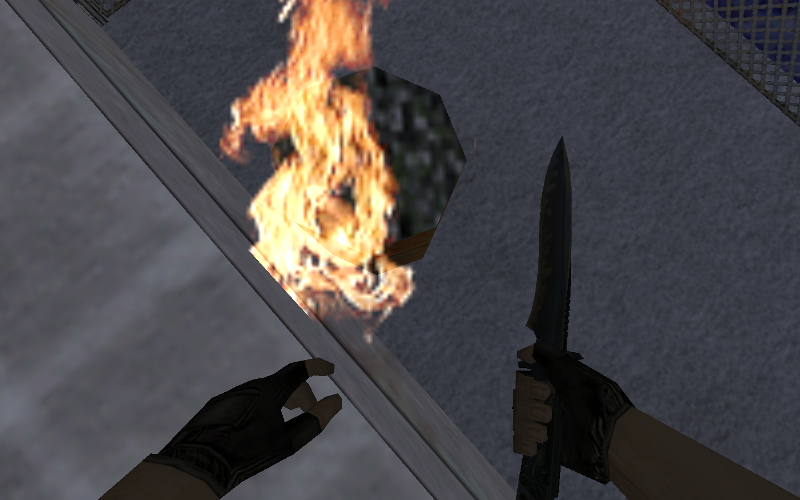
This is how fire sprites shouldnt be like.
In this thread you will see how to set sprites properly.
First of all we have to know what types of sprites exits.
00 (vp_parallel_upright) – This type is for sprites that rotates in Z axis. That means it will rotates to right and left, but not down or up.
Perfect for fire sprites.
01 (facing_upright) - This type will stay in position that was created in. No idea how to use this.
02 (vp_parallel) - Most frequently used sprite. Rotates on all axis, in the first picture is how it looks like in game.
03 (oriented) - This type is same as type 01, but you can rotate it in hammer as you want.
MAGIC HEX EDITOR
Open your fire sprite in this program and set the green selected to 0000 (previously was 0100, 0200, 0300)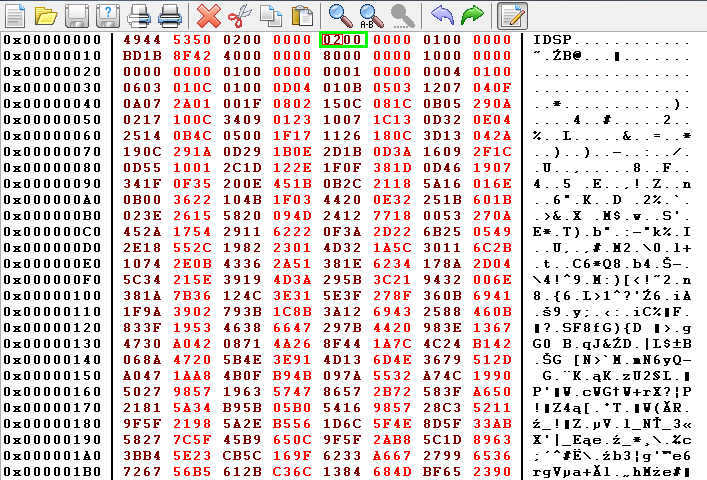
Final state of sprite will look like this in game: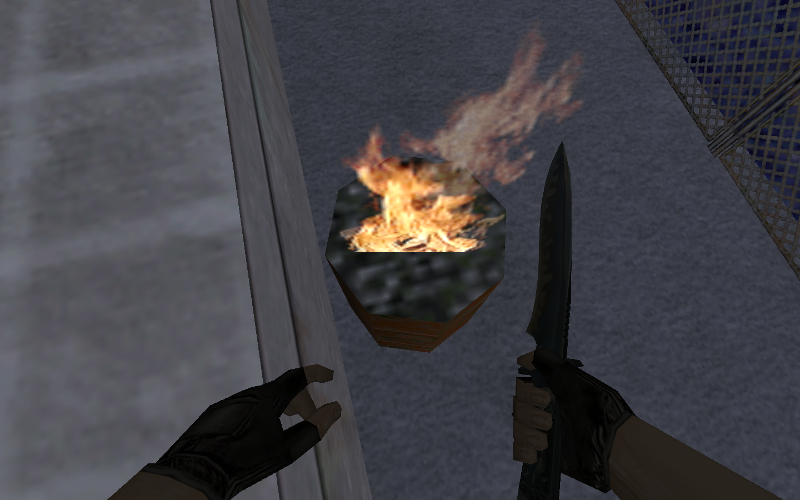
I hope you learnt something new, goodluck :)
 26/07/2020 17:06
Never knew this. Nice little piece of information, as sprites can behave ugly if not set properly.
26/07/2020 17:11That's very useful, this method is much simpler than the method using sprite explorer.
 16/05/2025 21:47
32bit
22/05/2025 20:25(edited 19/07/2025 20:32)It takes 2 seconds to change the type in HLTextureTools, https://github.com/yuraj11/HL-Texture-Tools, don't use it to create sprites in that software cause it corrupts anything past frame 1. but its nice for changing sprite type.
(it no longer corrupts sprites when making them)
Please log in to post replies.